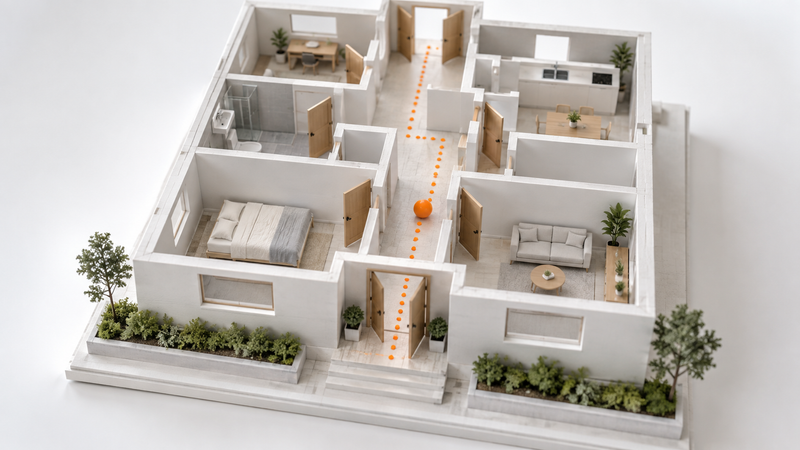
A verification skill needs a map of the product
In short: Lauren Tan's feature-map example explains why agents can operate a browser and still fail to verify a product. Map user-visible features to entry points, controls and observable outcomes.
TL;DR: In this Lauren Tan workshop recording, the useful artefact is a feature map. It tells an agent where a user-visible feature lives and how to reach it. That solves a problem browser access alone leaves untouched: an agent can control the window while having very little idea what the user is talking about.
Watch the feature-map section if you maintain an application with several panels, routes or interaction paths. A vague bug report such as ‘the PR tab is broken’ assumes shared product knowledge. A person on the team may know where to look immediately. An agent arriving with a narrow task and a few source files may have to discover that context first.
Teach it where the complaint lives
Around 9:50, Tan describes a verification skill that could launch and operate the app but still struggled to find the feature named in a report. The missing ingredient was a map written from the user's point of view: what the feature is, how to get there and which controls expose it.
The public pstack generator makes this concrete. It creates a project-specific way to launch, drive and observe an app, then starts a map of three to five features. Its companion maintenance routine checks the map as the application changes. These are engineering skills in Cursor's public plugins repository, not a new model.
Timestamps
- 9:50–11:00: why operating the application did not tell the agent where its features were.
- 11:00–13:00: feature entry points, selectors and keeping the verification map current.
- 38:40–44:10: architecture choices that constrain where an agent's local code changes can spread.
My rule would be to review that map whenever a user journey moves. A renamed button is small product work and potentially large verification drift. If the agent keeps exercising yesterday's entry point, a clean result can answer a question nobody now asks.
Start with one ambiguous report
As an illustration, give an agent a screenshot of a slow sidebar without naming the component. A useful map should connect that surface to the route, the control and the visible result worth checking. It should also say when access or setup prevents the path from being exercised.
I would judge the map by whether another fresh session can reproduce the navigation and collect the expected evidence. More documentation is not the target. Less repeated discovery is. That also explains why a list of source filenames is insufficient: it describes the implementation without necessarily describing the user's route through it.
This adds a step before the familiar advice to automate repeated review comments. First make the feature reachable and the intended observation clear; then a check can mean something. Keep a stale instruction separate from an actual product regression, or the map will gradually explain away failures.
I inspected the relevant caption passages and six representative frames, not every frame of the recording. I have not tested pstack or independently verified the overnight productivity claims in the repost. The feature-map mechanism is the part the public material lets an engineer inspect and try.
A verification agent needs directions to the behaviour, not just permission to operate the browser.